Archival Storage

Peter Bubestinger-Steindl
(Peter @ ArkThis.com)

Considerations

  • Storage market focus may deviate from your (=preservation) use case.
  • Business “longterm”: 3-5 years (=product lifecycle)
  • Cross vendor compatibility? Standards? Documentation?
  • Spare parts?
  • This market focus affects prices, features and reusability.
  • Who owns your storage = owns your work.

Digital Storage = Layers

Data storage has layers to consider…
  • A Digital File
  • Application required to read/write data
  • Operating system
  • Hardware it runs on
  • Filesystem
  • Drive (e.g. for tapes, optical media)
  • Physical carrier (medium)

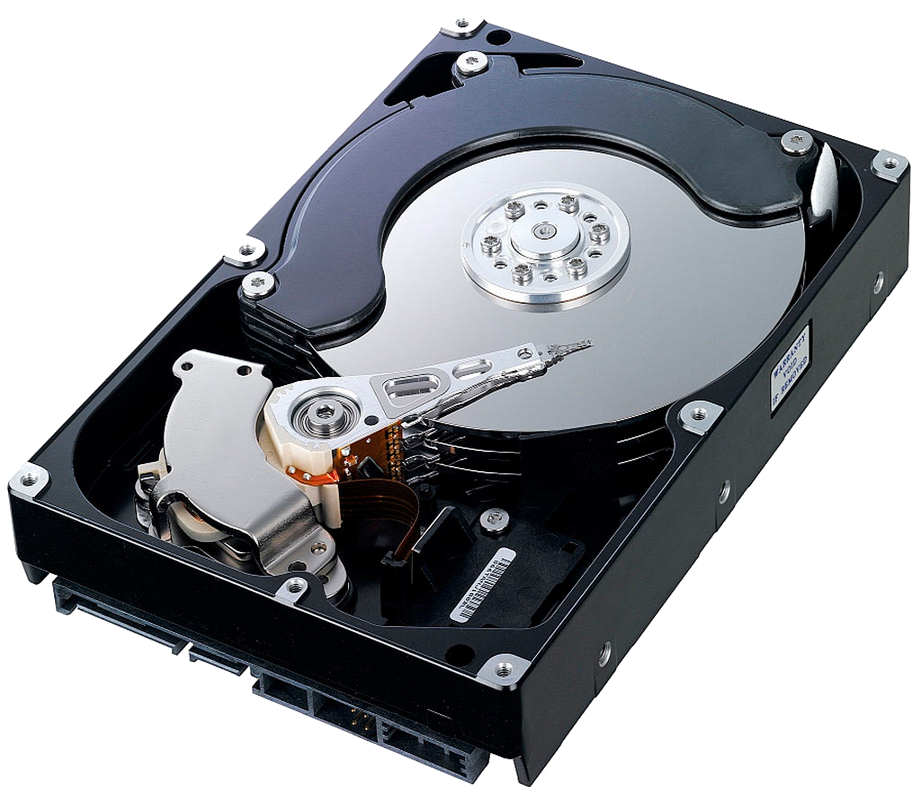
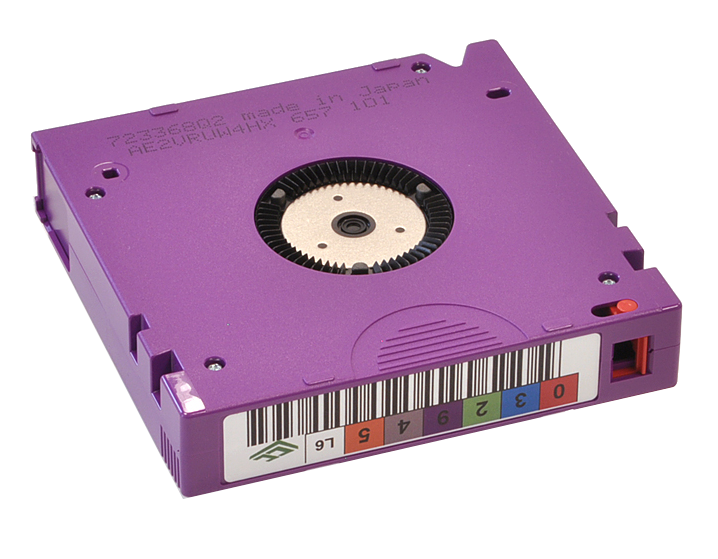
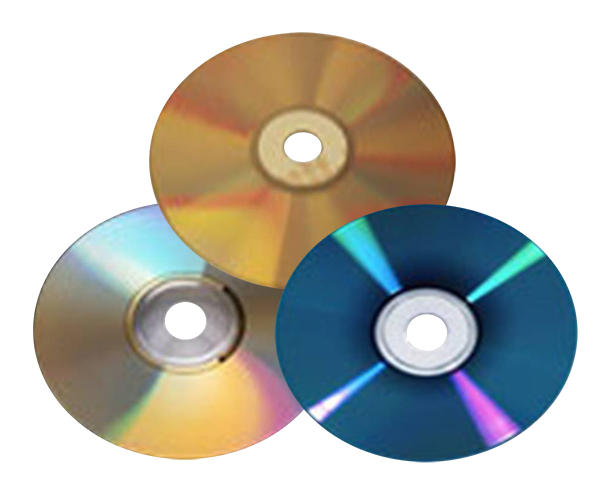
Physical carrier

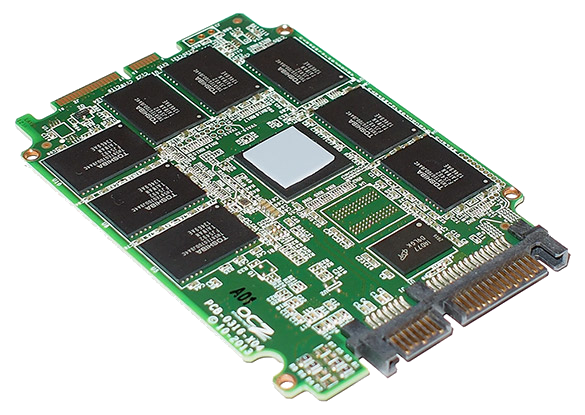
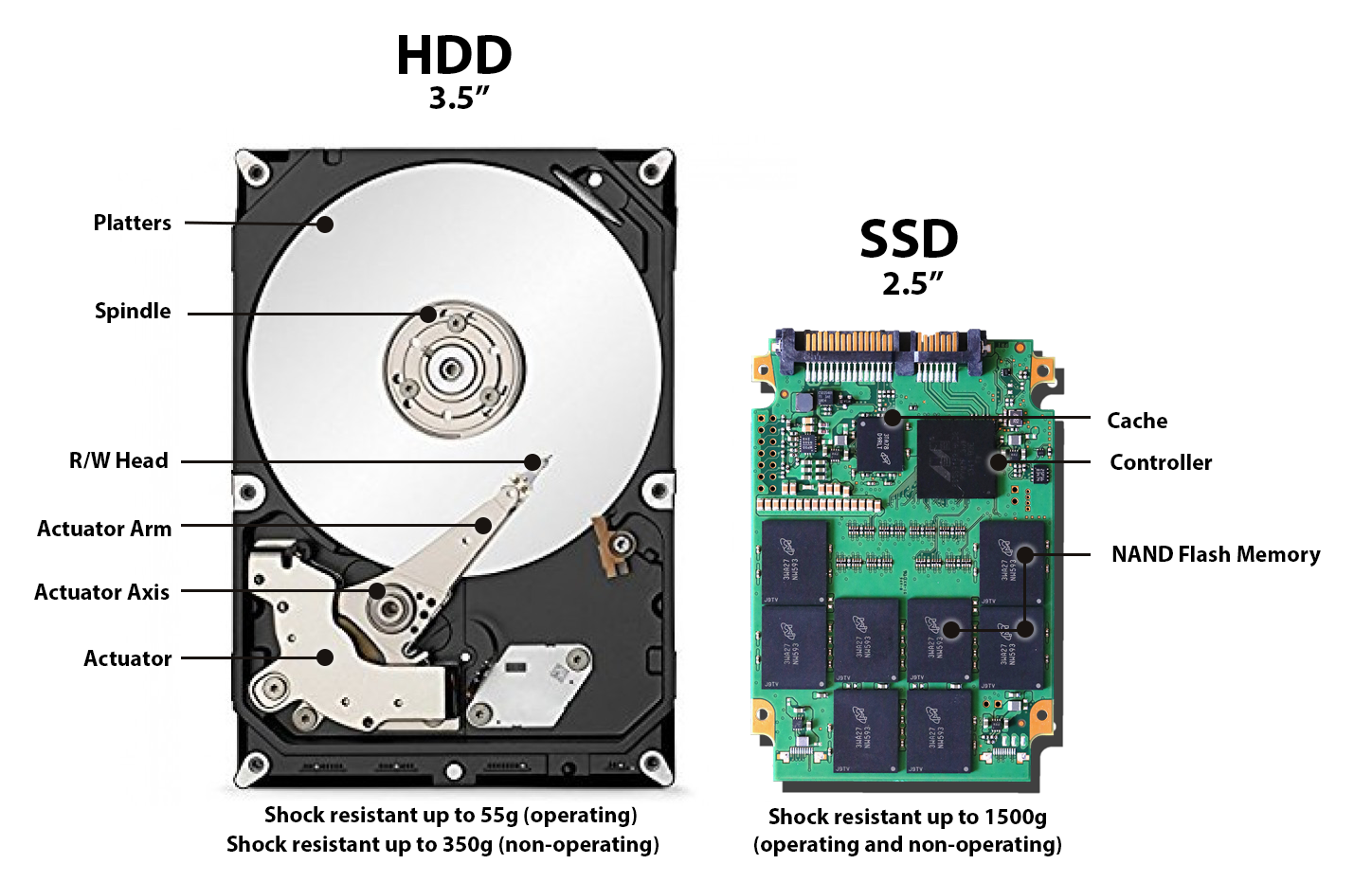
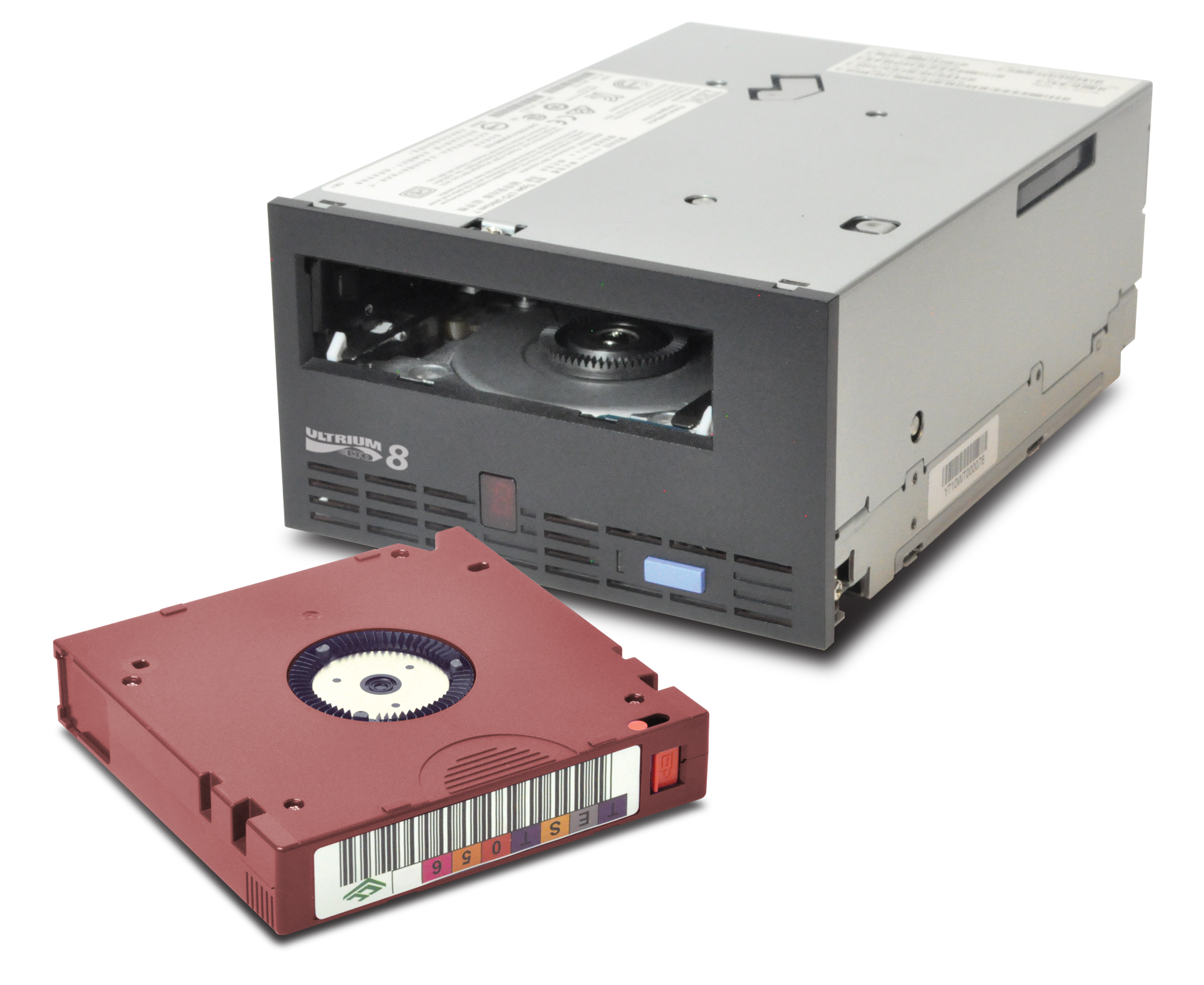
Classic “Spinning Platters” harddrive LTO: Linear Tape Open cartridge Optical Disks SSD: Solid State Disk (no cover) SD cards

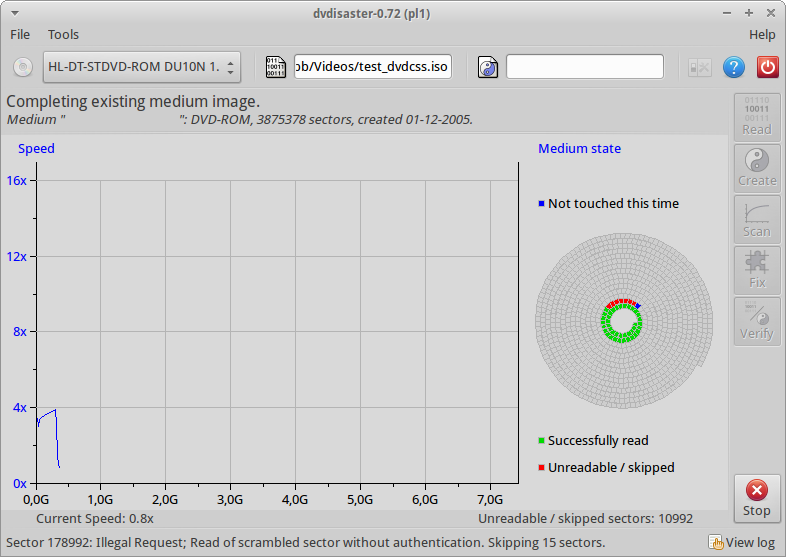
Dvdisaster: Optical Rescue.

Encrypted DVD
Encrypted DVD

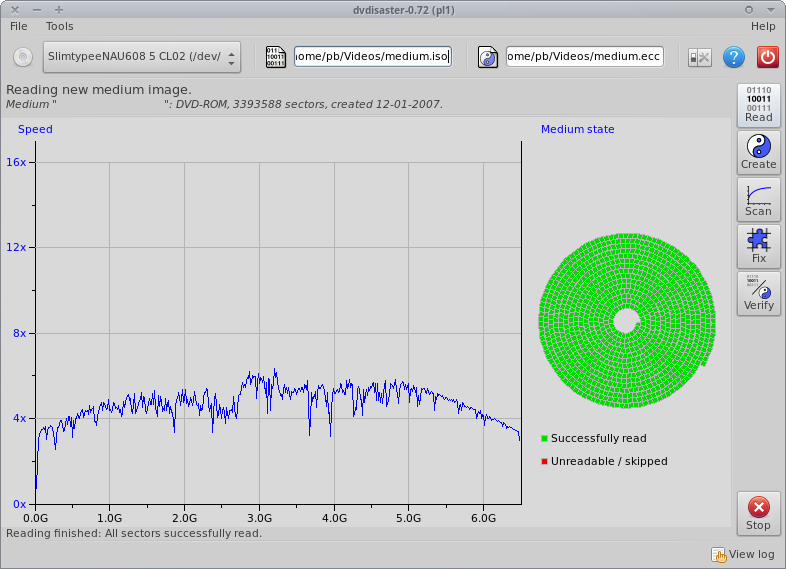
Dvdisaster: Success!

Bad shape, Good read.

HDD vs SSD

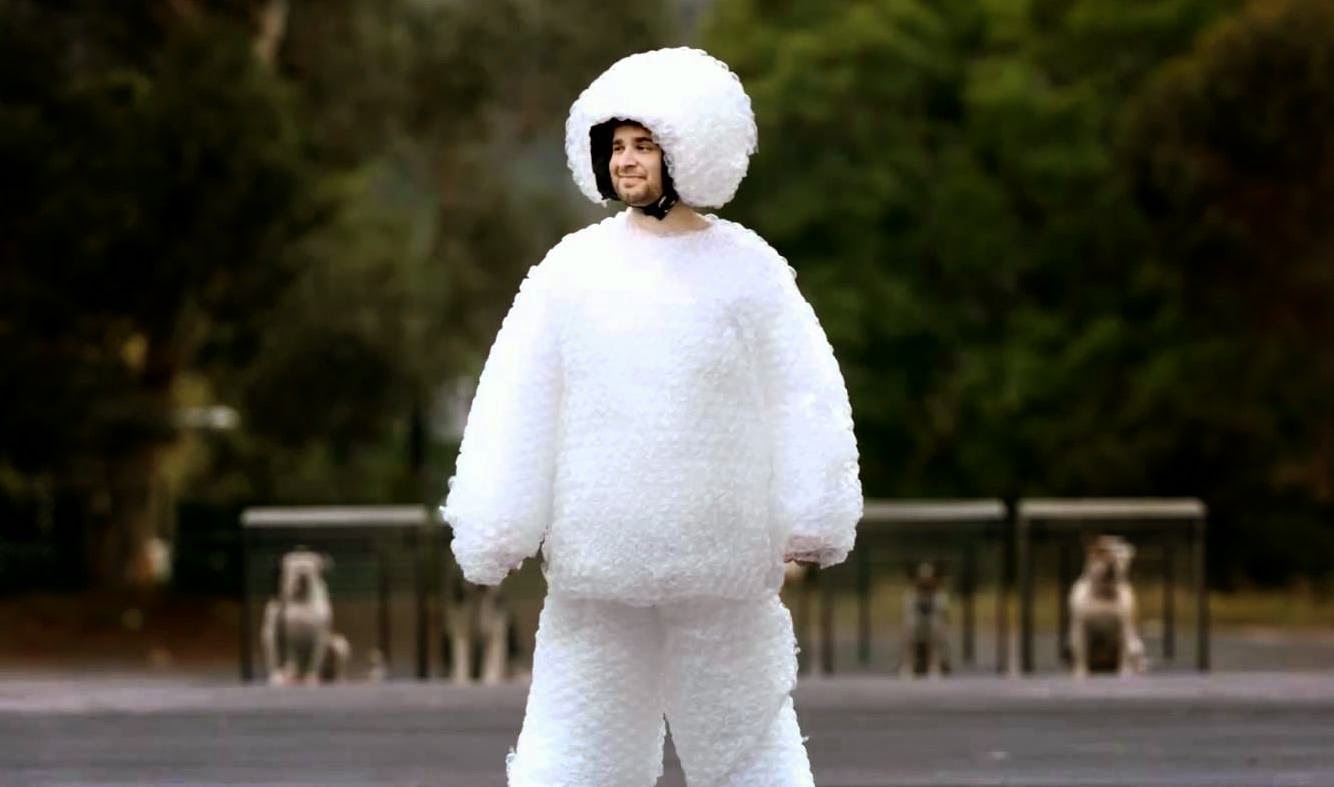
SSDs: less stuff to break

Good to know:

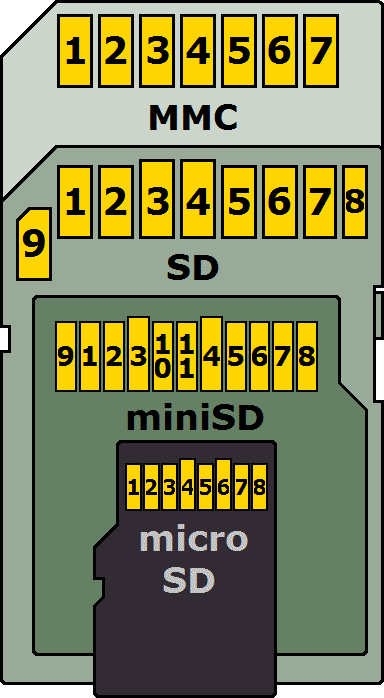
  • Higher data density = more impact of an error.
    Example: 1mm hole in CD vs DVD vs BluRay - or SD vs MicroSD, etc.
  • HDD: The longer it is active, the shorter is lives.
  • But: “Hardware that lies, dies.
  • Be aware if your HDD is “Shingled (SMR)” or not.
  • Mixing carrier/storage types: good idea!

Tape & Drives

LTO tape with a drive

LTO Generations

Imagine you find an old LTO tape…

  • Not every drive can read every tape.
  • New LTO generation release: ~every 2-3 years.
  • < LTO-7: Read=2 gen. / Write=1 gen.
  • BUT: LTO-8: Read/write=1 gen.!

Oh, and: Which filesystem was it written with…?

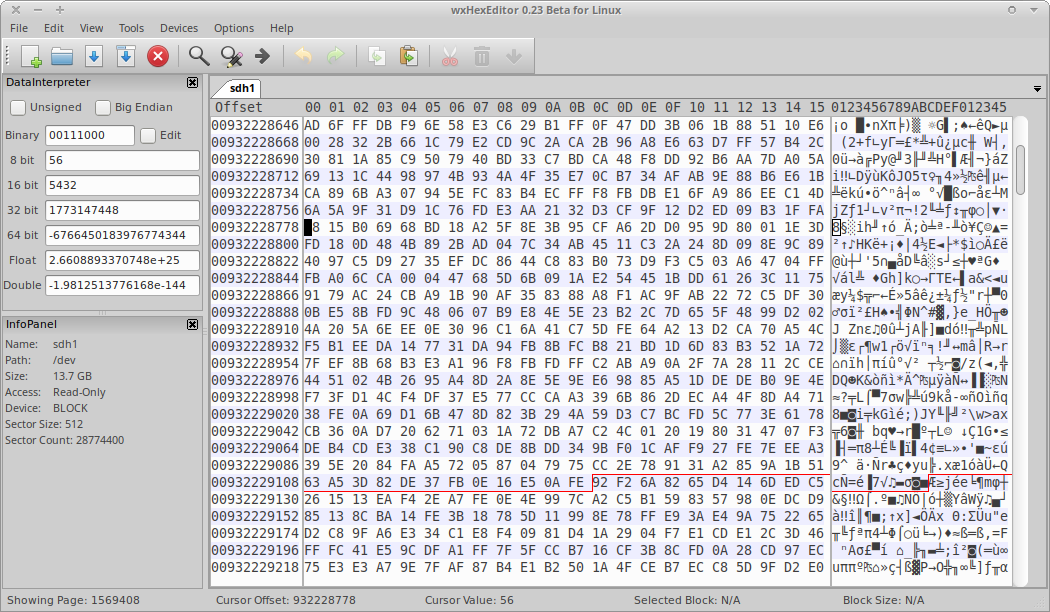
The File System

A drive partition viewed as raw data

LTFS: Linear Tape File System

  • Open specification = vendor neutral
  • Better for preservation, but may not support “convenience” features.
  • All implementations must:
    • Correctly read media that was compliant with any prior version.
    • Write media that is compliant with the version they claim compliance with.

File system: Disaster relevant?

  • Deleted files are still there (maybe fragmented).
  • Different FS = different error resilience and recovery options.
  • Does it scale? (moving files is when they’re most vulnerable…)
  • Tools/knowhow to deal with recovery of broken filesystems in your setups?
  • Logical Volume Management (LVM) snapshots

Failsafe mechanisms

Just to be sure.
Just to be sure.

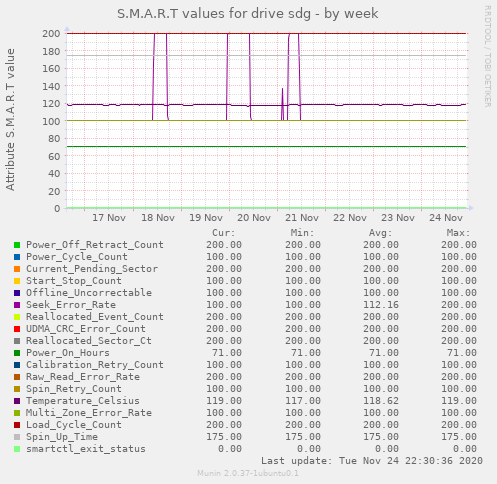
S.M.A.R.T.

Self-Monitoring, Analysis and Reporting Technology

“[…] is a monitoring system included in computer hard disk drives (HDDs), solid-state drives (SSDs),[1] and eMMC drives. Its primary function is to detect and report various indicators of drive reliability with the intent of anticipating imminent hardware failures.”

Source: Wikipedia: S.M.A.R.T.

S.M.A.R.T. Graph

SMART graph for a single drive

RAID

Redundant Array of Inexpensive Disks
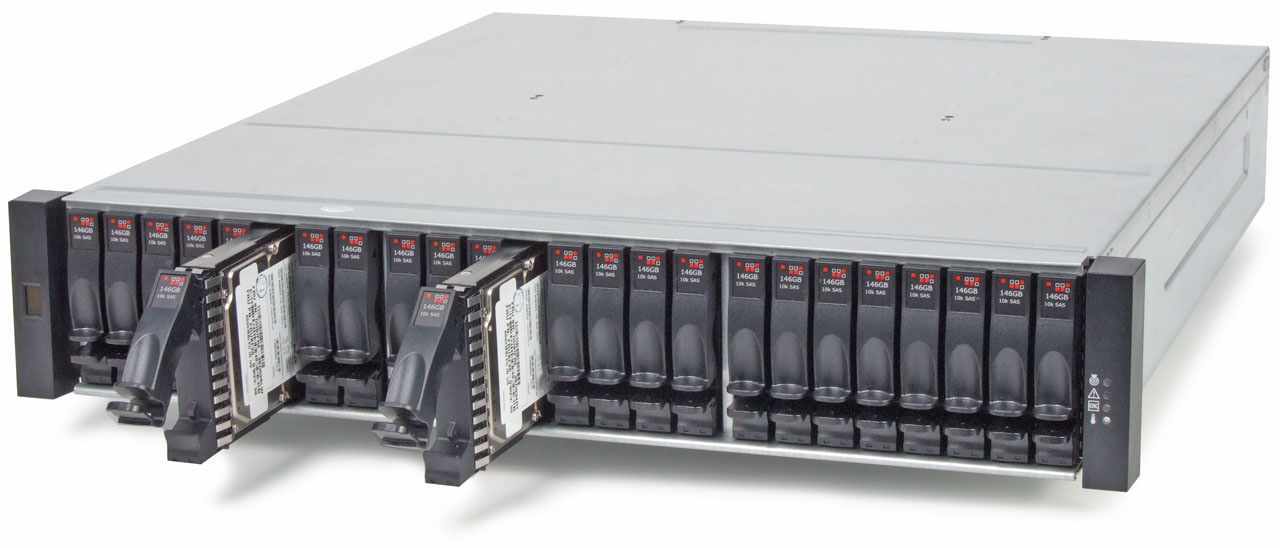
Example of a disk chassis

“[…] is a data storage virtualization technology that combines multiple physical disk drive components into one or more logical units for the purposes of data redundancy, performance improvement, or both.”

Source: Wikipedia: RAID

RAID

  • Different RAID levels:
    • Stripe = Fast, but dangerous!
    • Mirror = Perfect for OS system disks
    • RAID5/6 = 1 or 2 disks fault tolerance (parity bits)
  • RAID is not a backup.

Sad, but true:

  • With > 4TB disks, RAID-6 may be insufficient
  • Long rebuild times may “burn out” the left-over disks.
  • ZFS supports 3 disks parity, but … future?

btw: How does “The Cloud” do it?

Cloud Storage

  • No internet = no service.
  • Make sure your online bandwidth is sufficient.
  • Have an exit plan (+contract?) for migration.
  • What if their conditions change?
  • Where is your data actually stored?
  • Does it matter for you? (e.g. legally)
  • Again: Consider mixing.

Storage Debate!

Storage Debate: Summary?

  • Online/Cloud: For “smaller” files (eg Access copies)
  • Large storage: You may want/need to get external support.
  • Decide which level of control you have over your data.
  • Mixing (again) is a good idea.
  • Should we archives outsource all knowhow/skills about digital storage?

Cluster & replication

  • Multiple copies on multiple servers
    (“cluster nodes”)
  • Synchronized (replicated) automatically
  • Off-site replication possible
  • Replication is not a backup!
  • What if a node goes down?

Erasure Coding

  • More parity possible than RAID
  • Data can be spread across network cluster nodes.
  • Does not suffer from rebuild “burn out”.
  • More complex to set up & compute.
  • Not that widely known/supported/used yet.
  • A FOSS implementation: MinIO

Object storage

Beyond classical, hierarchical filesystems
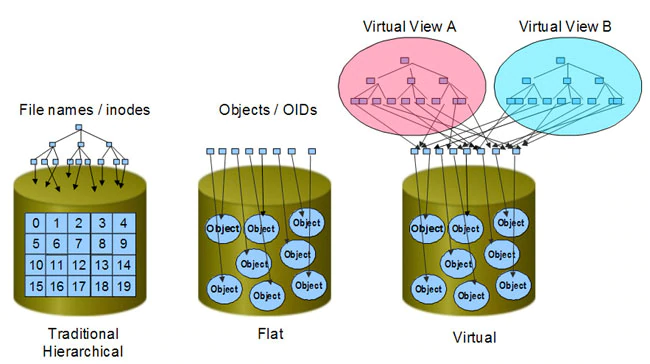
Object storage

  • Files become “objects”.
  • There are no (actual) folders. (Foldername = Plain Metadata)
  • There’s just an identifier.
  • Arbitrary metadata may be assigned to each “object”.
  • Scales infinitely (theoretically).
  • Clusters of block storages with a clever abstraction layer.
  • Quite a complex construct of APIs, layers and components. Fascinating.

Object storage = The future?

  • If implemented well, the storage itself could be the DAM/MAM.
  • Allowing links/relationships between objects = 🤯🤠🥳
  • The object filesystem is an actual catalogue.
  • Combined with LoD, MD Standards & APIs = Wikidata for/of your files.
  • If implemented well…

Object storage = The future?

Object based storage may very likely replace hierarchical filesystems, but things need to be rewritten/adapted to properly support it.

It’s not yet (really) plug-compatible with existing programs.

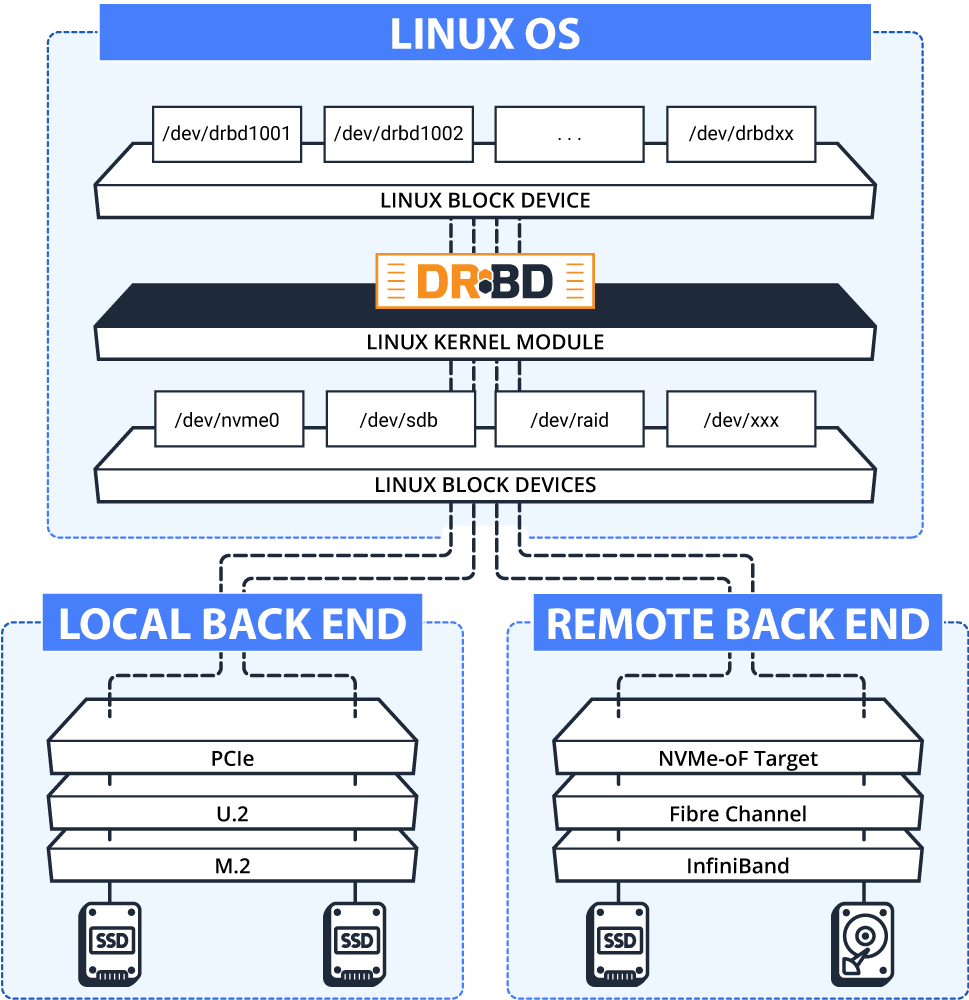
Software Defined Storage (SDS)

More “Classical”, yet Supersize-able.
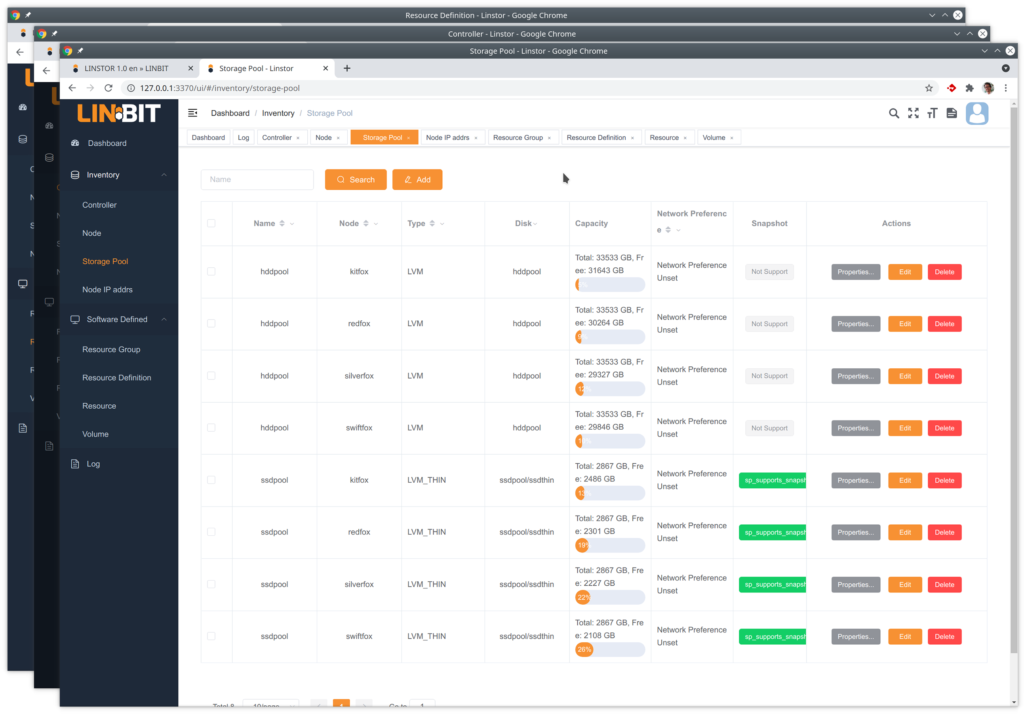
Example screenshot (Linbit SDS)

Again: Onions, eh Layers.

Example of abstraction layers

Does it scale?

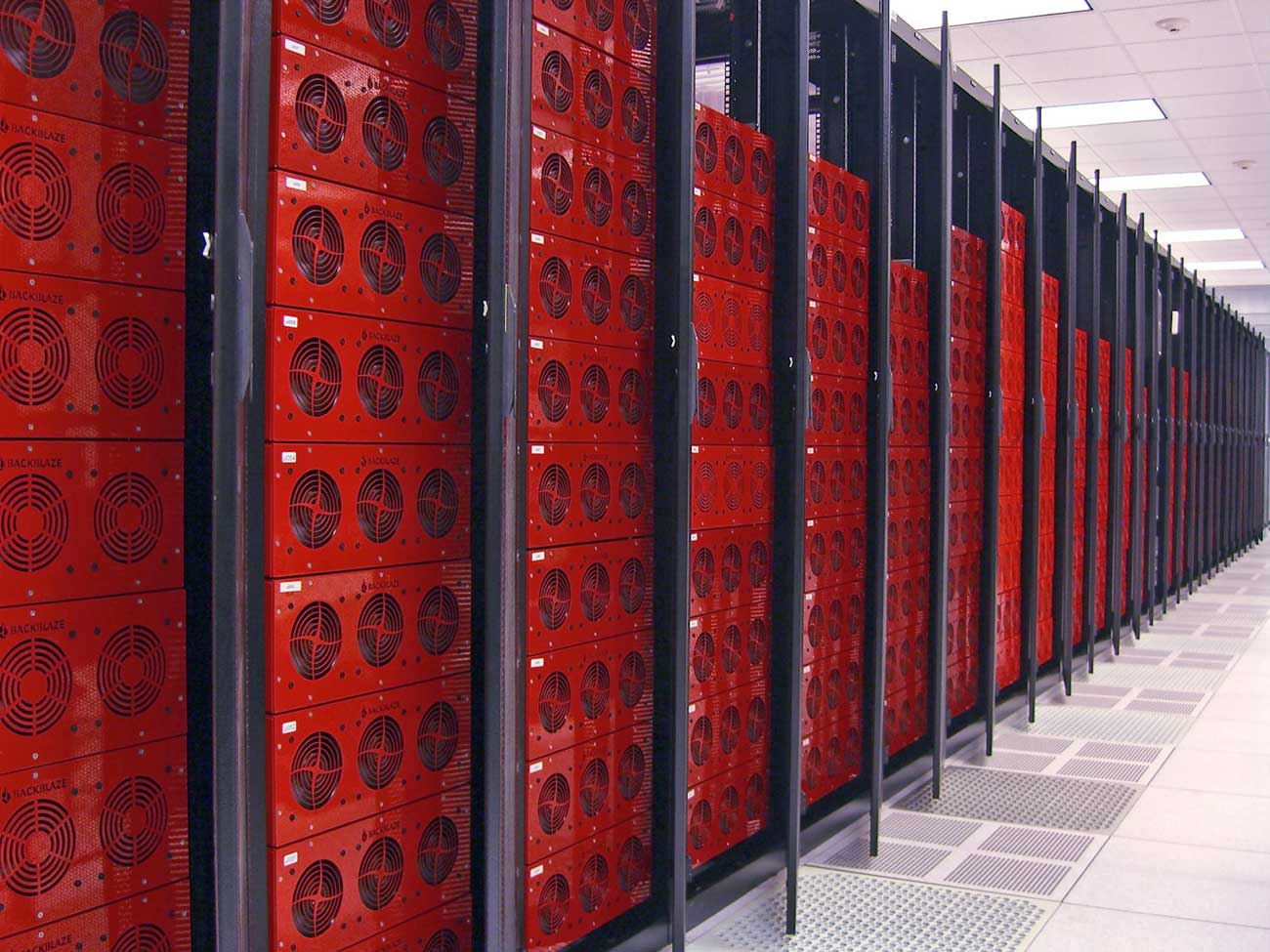
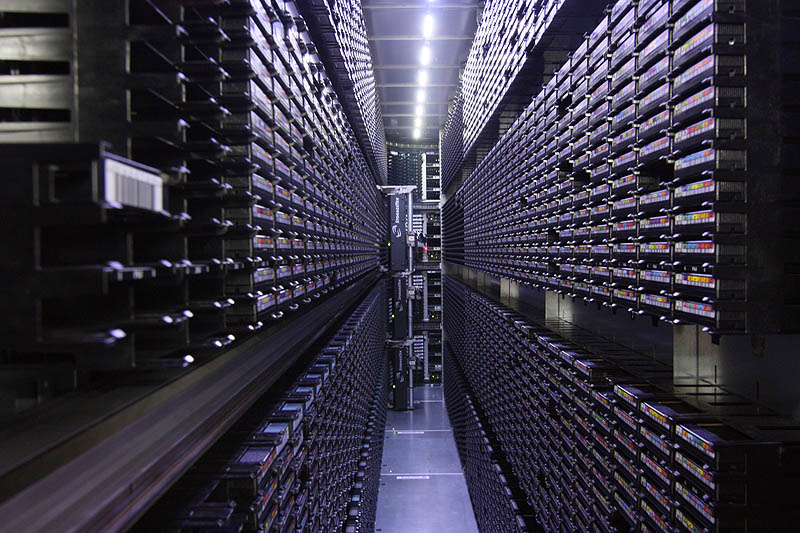
Backblaze data center Tape library (robot)

Does it scale?

  • What if you run out of diskspace?
  • Need to copy/move everything?
  • Or can you simply add “more space”?
  • What about your file/folder positions?
  • How to know if everything is still “there” and intact?

Data Integrity?

Fixity information & Hashcodes :)

Hashcodes: fixed size number that’s like a fingerprint for data.

  • CRC =
    4294967295
  • MD5 =
    d41d8cd98f00b204e9800998ecf8427e
  • SHA256 =
    e3b0c44298fc1c149afbf4c8996fb92427ae41e4649b934ca495991b7852b855
  • xxHash =
    e4c191d091bd8853

Do it early, do it continuously.

  • Create hashcodes early in the lifecycle.
  • Use them when transferring files.
  • Storage: Ongoing integrity checks matter.
  • Consider runtimes & interference with daily work.

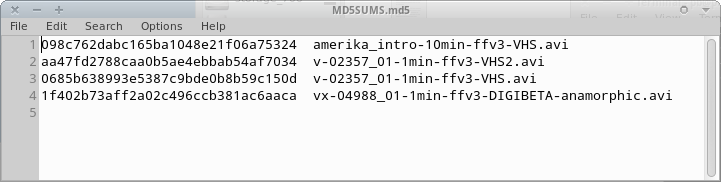
Hashcode manifest

Example for an MD5 file manifest

As simple as that. Plain text.

Using (=validating) hashcodes
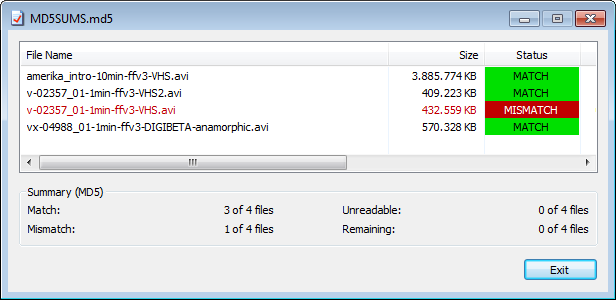
HashCheck: GUI tool showing data validation

Some tools

Our storage has integrity checks built in!

  • Good! 🥳
  • But it can only do so as soon as data has arrived.
  • Did you verify that the data got there intact? 🧐

Exercise

The “cursed” digital archive folder.

What hashcode manifests can tell you beyond “it’s borken”, and how to interpret them.

Backups

The 3-2-1 Backup Rule

  • Keep at least three copies of your data.
  • Store two backup copies on different devices or storage media.
  • Keep at least one backup copy offsite.

Backup integrity?

  • btw: Is your backup copy (still) intact…?
  • Did you check? ;)
  • Tape: Backup drives on shelf vs robot?
  • Handout: Backup checklist

Migration?

Eternal Migration

  • Always consider how to get your data out of any system before you get into it.
  • Or at least while it’s still running.
  • As vendor- and technology neutral as possible.
  • Try that before you buy.
  • Include migration in your planning.

💾 Which Storage is Right for YOU? 🤩

Must Should Could Won’t
______ ______ ______ ______
______ ______ ______ ______
______ ______ ______ ______
______ ______ ______ ______

Choose a use-case and try to phrase your wishes and requirements.

Storage: Summary

  • There’s more than just one right solution…
  • Mixing is usually a good idea.
  • RAID6 might be at its limits :(
  • Consider LTFS and LTO generations
  • Embrace hashcodes!
  • Consider which level of control you have/want.
  • Have a backup (plan)

- fin -

Questions? Comments?

Peter Bubestinger-Steindl

Peter @ ArkThis.com

Storage Terms Collection

  • S.M.A.R.T. Self-Monitoring, Analysis and Reporting Technology
  • NAS Network Attached Storage
  • SAN Storage Area Network
  • RAID Redundant Array of Inexpensive Disks
  • Object Storage
  • JBOD Just a Bunch Of Disks
  • SDS Software Defined Storage