Introduction to Data and Encoding
What do you think
happens when you open a file?
How do you think
a program/machine identifies a file?
How do you usually
identify a file?
What is there to identify?
What is a digital file?
Wikipedia: Filename extension
Most people identify what a file is, according to its filename - and the filetype according to its suffix after the “.” dot.
If all is well, usually a quick and sane choice, but there’s more…
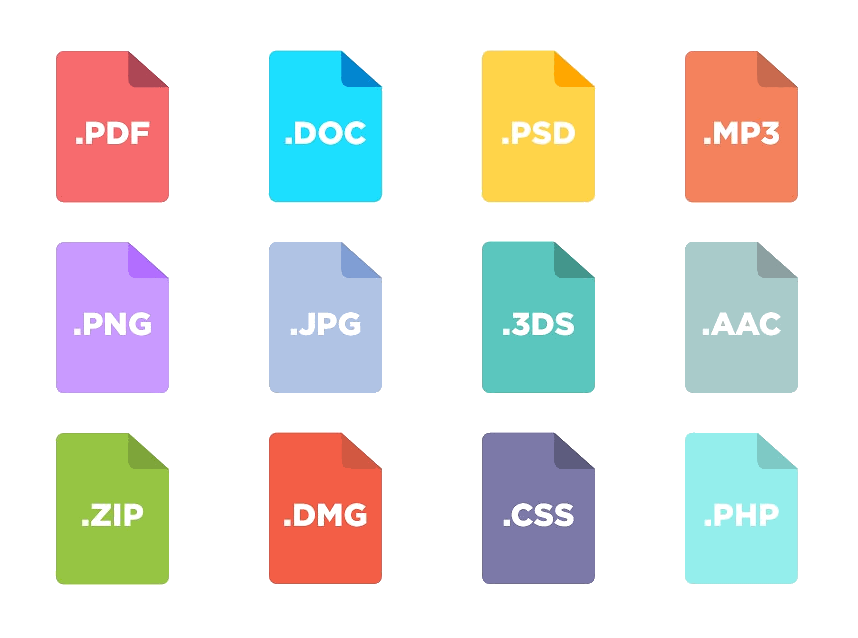
What kind of files are there?
Understanding digital objects
Bit :A single binary digit (0/1) Byte :A unit: 8 bits (half = Nibble ) File :Stored segment or block of information available to a computer program File system :A mechanism for controlling and organizing bytes into structure (files/folders) for storage and retrieval File Format :A standard way that information is encoded in a computer file.
Identifying files
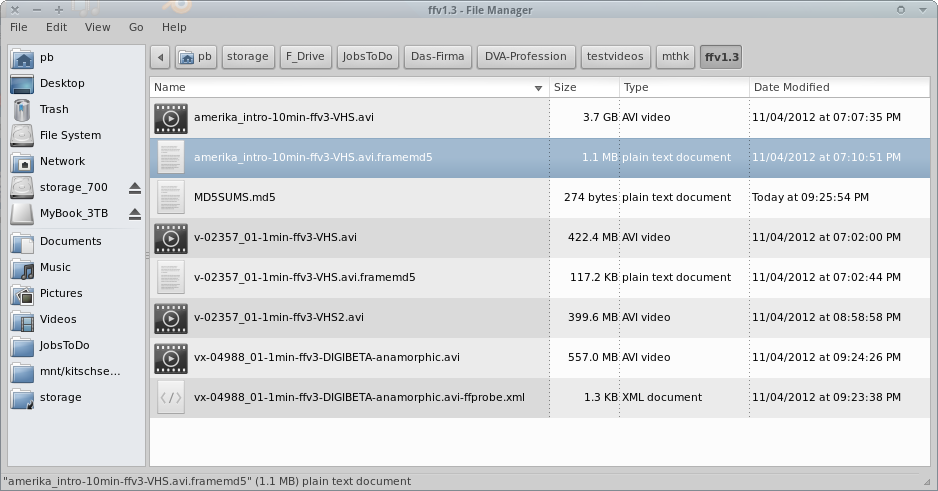
Directory listing example
What can you say about these files?
These file properties (filename, date/time, size, ownership, access rights, flags) can often be used to say something/more about a digital object, therefore it’s good to consider preserving this layer of information too.
For example, when documenting the original state of externally acquired collections/objects. More about this in the metadata session…
The Filesystem
Filename
Date/time
Filesize
File extension
Path
Access rights
Without a filesystem, data on a storage device is just a long string of numbers… No beginning, no end, no structure, no folders, no files. Just bytes!
If your filesystem is broken, you can’t access your data - although the “data” is actually exactly where it was. Untouched. But there’s no “map” to find where to go, and where a file starts or ends.
The 2 major types of Data
Everything’s a number
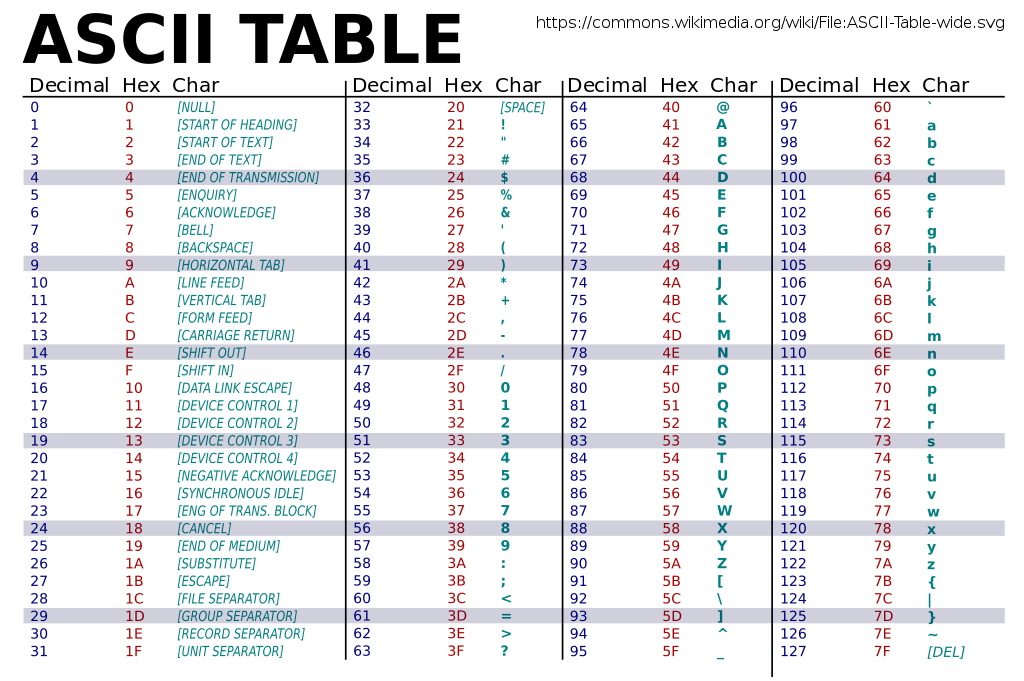
ASCII Table
Each byte in a file is a number. Depending on the encoding, each number maps to a certain character. This table shows a common character encoding: “ASCII” (American Standard Code for Information Interchange)
This view also shows the hexadecimal (short “hex”) value which is more common and better to view data as, than decimal.
Character encoding
See: Character sets, encodings, and Unicode (By Nick Gammon)
Classic “code pages” work fine for the language/region they are designed for. Mixing characters from different languages is a problem with this approach though!
Mis-interpreting a character by applying the wrong codepage is the reason for encoding errors. For practical and history reasons, the ASCII set is usually mapped compatible across all codepages.
Encoding Interoperability
“Sch�ner Tag. Recht hei�. (□ )”
Schöner Tag. Recht heiß. (🙃)
□ (WHITE SQUARE, U+25A1): Replaces a missing or unsupported Unicode character. � (REPLACEMENT CHARACTER, U+FFFD): Replaces an invalid or unrecognizable character. Indicates a Unicode error.
Unicode
“Unicode is a computing industry standard for the consistent encoding, representation, and handling of text expressed in most of the world’s writing systems.”
– Wikipedia: Unicode
Mixing languages
Лорем ипсум долор сит амет
See: UTF-8 encoding table
Comments?
Questions?