Checking AV Properties
Basics
Peter Bubestinger-Steindl
(p.bubestinger @ AV-RD.com)
March 2019
Abstract
This is about technical properties of audiovisual files, how to identify and check/validate them.
Trinity
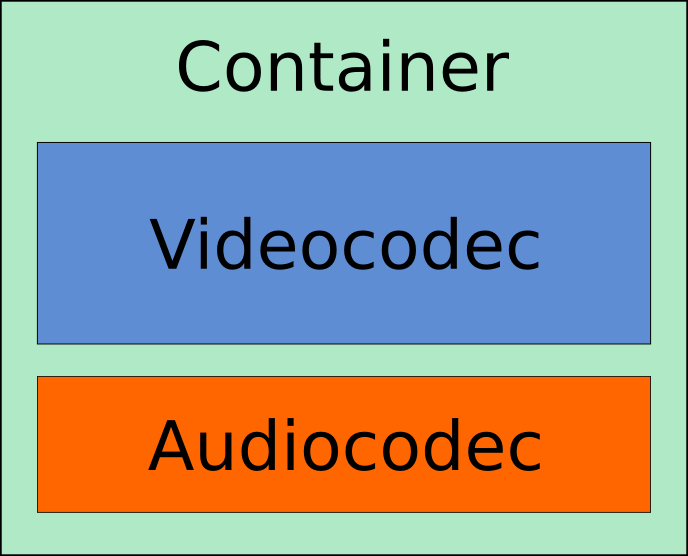
Structure

Tools
We'll show these here:
- VLC
- MediaInfo
- ffprobe
VLC
- Great videoplayer
- 99% chance you have it on the computer
- Allows quick-check of tech-MD
(Ctrl + J) - For all formats it can play!
Website: videolan.org/vlc
VLC
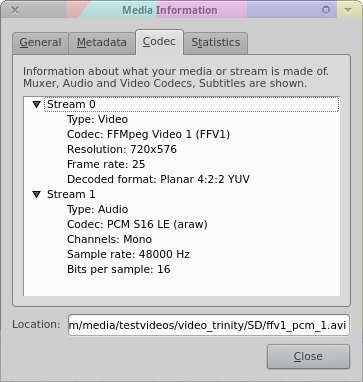
Very handy, but not the best for this job.
MediaInfo
"MediaInfo is a convenient unified display of the most relevant technical and tag data for video and audio files."
Website: mediaarea.net/MediaInfo
MediaInfo
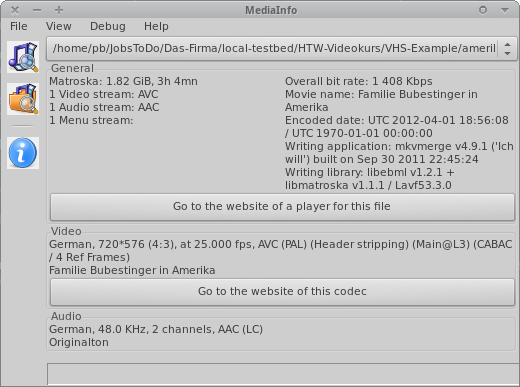
MediaInfo GUI
View 'Easy'
- General = container level
- Video / Audio
- Other
A/B comparison
(Only in view 'Easy')
- Load more than 1 file:
- Select multiple files
- or drag/drop a whole folder
- Scroll dropdown = switch between files
Excellent for a quick spotting of common/different values in a given set.
View 'HTML'
- Nicer to read than view 'Text'.
- Identical content.
Machine Readable
(aka "parsable output formats")
- More suited for automated workflows.
- Can be saved from GUI.
- But: Usually commandline.
Machine Readable Output Formats
- XML
- JSON
- CSV
- EBUCore
- PBCore
- MPEG-7
- FIMS
- ...
Machine readable
Text
- Tradeoff between human- and machine-readable
- Spaced "Name:value" pairs
- No hierarchy!
Machine readable
XML
- Schema definition:
mediaarea.net/mediainfo/mediainfo_2_0.xsd
(is referenced inside XML) - Hierarchy: Yes!
--output=XML
Machine readable
CSV
- Comma Separated Values. Literally.
- Nice option to use in e.g. spreadsheet tables.
--output=CSV
Machine readable
JSON
- XML vs JSON:
- JSON is quicker to read and write
- JSON was designed for web
--output=JSON
MediaInfo CLI
CLI = Command Line Interface
CAUTION:
Mediainfo's arguments are often case sensitive!
Example: --output=XML is not --output=xml
View only
$ mediainfo input.mov
$ mediainfo --full input.mov
$ mediainfo --full --output=XML input.mov
Save to file
# Redirect output:
$ mediainfo --full input.mov > info.txt

# Nicer:
$ mediainfo --full --output=XML --logfile=info.xml input.mov
Advanced
Extract individual values:
$ mediainfo
 --inform="Video;%Format%,%Width%,%Height%,%FrameRate%"
 input.mov

$ mediainfo
 --inform="Audio;%Format%,%Channels%,%SamplingRate%,%BitDepth%"
 input.mov
ffprobe
- Comes with
ffmpeg - CLI only
- Extremely powerful
- Allows analysis of media streams
- Output different parsable formats
Website: ffmpeg.org/ffprobe.html
ffprobe
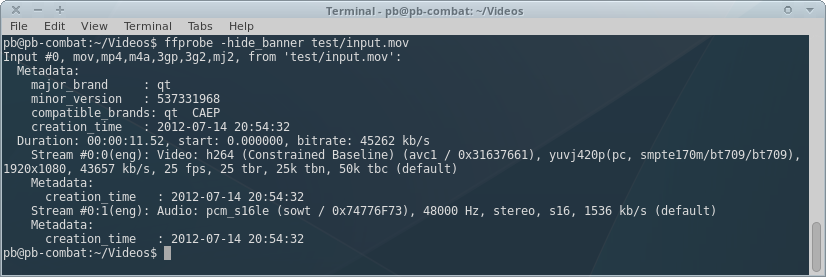
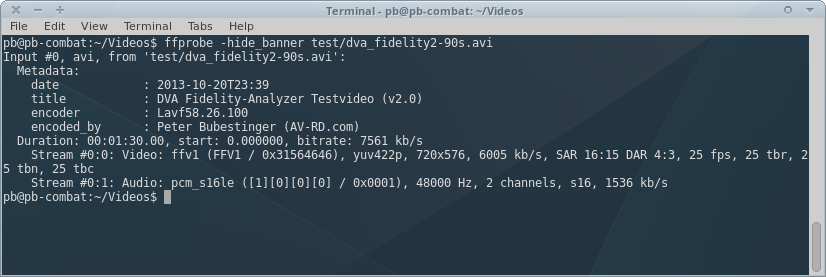
Basic infos (streams, resolution, fps, duration, etc):
$ ffprobe -hide_banner MEDIAFILEffprobe - Example 1
ffprobe - Example 2